
Load Sheet
Comp it once. Load Sheet does the rest of the folder.
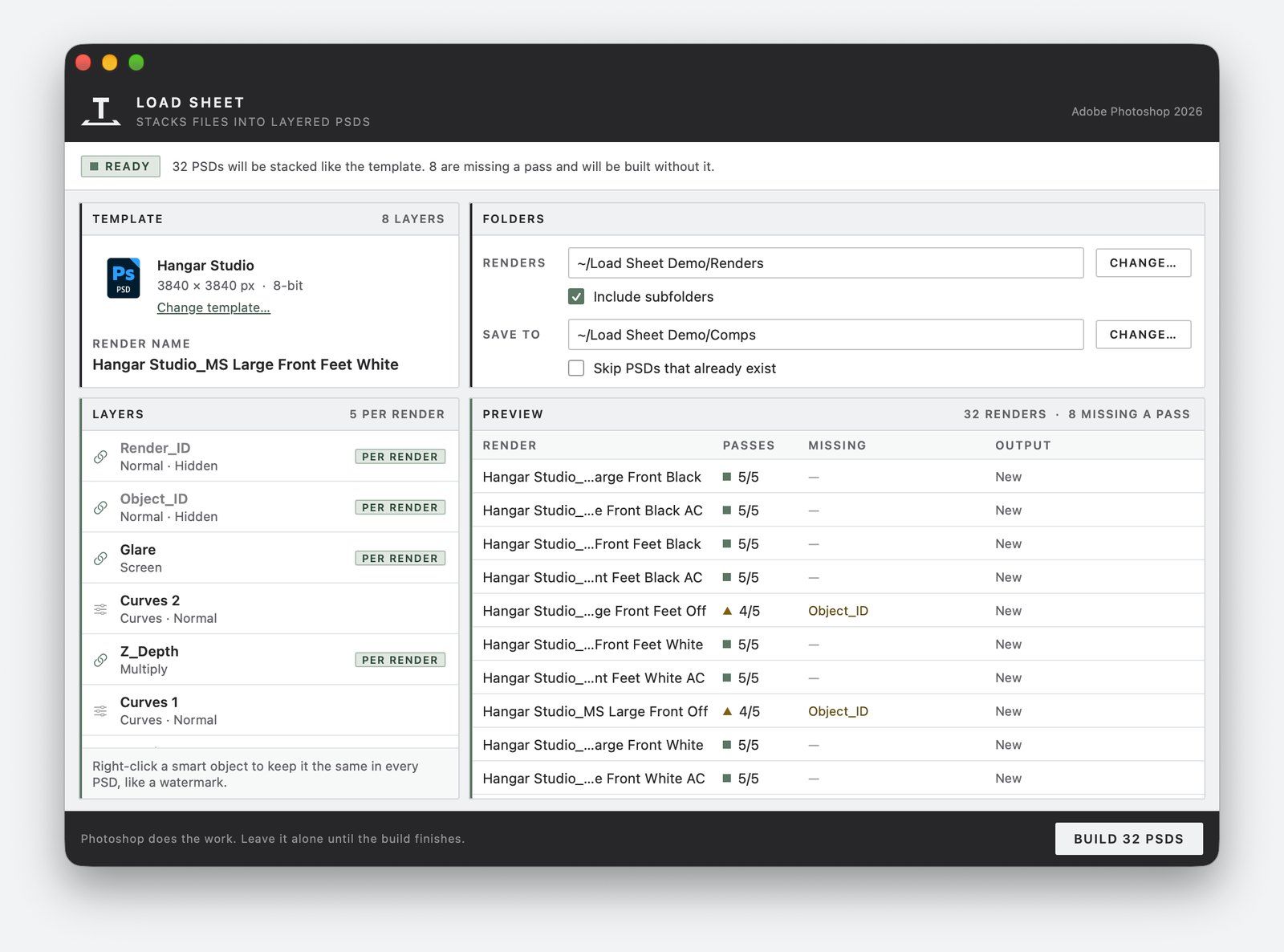
Build one layered Photoshop document by hand, with the layer order, blend modes, opacity, visibility, and adjustment layers exactly how you want them. Load Sheet rebuilds it for every render in a folder, one PSD per render, each stacked the same way with its own passes swapped in. It was built for render passes, and it works just as well on any files that share a name, like photo sets or scans.
Free. macOS 13 or later, with Adobe Photoshop. First open needs one extra step (see Install below).
What it does
Comp it once
No naming rules
Missing passes?
The same comp, thirty times
Compositing a render in Photoshop is the same sequence every time: place each pass as a layer, put them in order, set the blend modes, hide the layers used only for masking, add the adjustments on top, and save. Only the passes change. Doing it for thirty renders is an afternoon of mechanical work, and every repeat is a chance to put a layer in the wrong order or leave one visible that should be hidden. Load Sheet does that work from a template, so the comp is designed once and applied the same way every time.
How it works
01
Build the template
02
Drop it on Load Sheet
03
Choose folders and build
No naming rules to learn
Photoshop remembers which file each smart object came from, so Load Sheet works out your naming from the template itself. If the template’s layers came from Front.denoiser.png, Front.Z_Depth.png, and Front.Glare.png, then Front is the render name and the endings are the passes. Every other file in the folder is grouped the same way.
It works with dots, underscores, hyphens, or spaces between the name and the pass, and with any file Photoshop can place: PNG, JPEG, TIFF, EXR, and more. Tested on real V‑Ray output, and on Corona and Redshift examples. Files that aren’t renders work the same way, as long as each group shares a name.
| Naming | Template files | Render name |
|---|---|---|
| Dots | Shot.denoiser.png, Shot.Z_Depth.png | Shot |
| Underscores | Kitchen_A_Beauty.png, Kitchen_A_Shadows.png | Kitchen_A |
| One file plus extras | shot010.exr, shot010.diffuse.exr | shot010 |
| One file per image | photo.jpg | photo |
What it handles
Missing files
Hidden layers stay hidden
Fixed layers
Stray files
Subfolders
Linked or embedded
Pick up where you stopped
A log every time
Install
01
Unzip and move
02
Open Anyway, once
03
Allow Photoshop
Good to know
- One file per pass. Each pass needs to be its own file, told apart by its name. Workflows that put every pass in its own folder under the same filename, or pack them into one multi-layer EXR, aren’t supported.
- Linked files keep their paths. A document built with linked smart objects points at the files where they are now. If they move, or you open the PSD on another machine, the links break. Place Embedded makes self-contained documents, at the cost of file size.
- Keep cloud folders offline. Files that Dropbox or iCloud keep online only can stall Photoshop mid-build. Make the folders available offline first.
Requirements
- macOS 13 or later, Apple Silicon (an Intel build is included but hasn’t been tested yet)
- Adobe Photoshop (tested with Photoshop 2026)
- About a 740 KB download
Also from Terminal: Preflight
Learn more